Skip to content

The workflow

Keep the job moving.

A focused set of tools for the office and the crew. These are actual app screens with sample jobs. We help configure your first workflow during pilot setup.

01

Measure and quote

Keep measurements, quantities, scope and price together. Send a quote the customer can review and approve.

Explore this feature
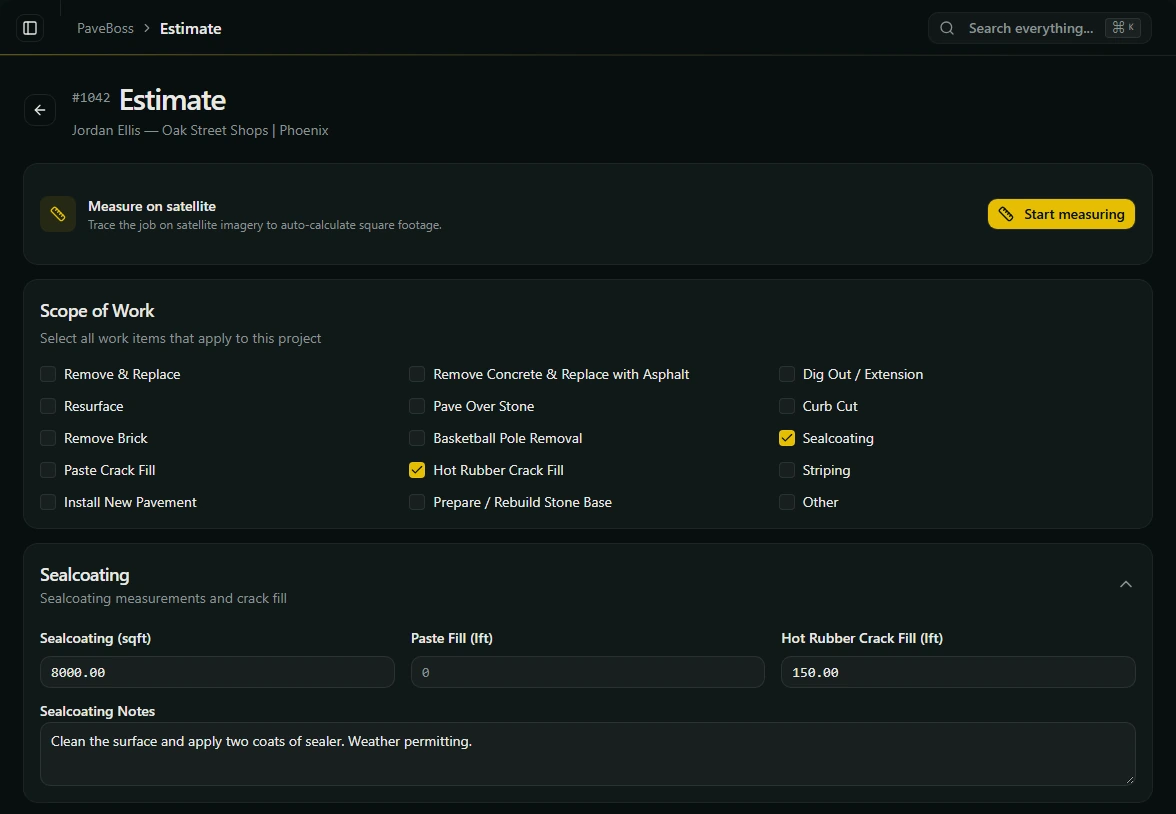
Estimate editor with Sealcoating and Hot Rubber Crack Fill selected, an 8,000 square foot area, 150 linear feet of cracks and job notes.View full size
Choose the work, enter your measurements and keep the scope with the job.Actual PaveBoss screen · Sample data

02

Plan the crew day

Assign work to a crew, arrange stops and handle a rainout without losing the job history.

Explore this feature
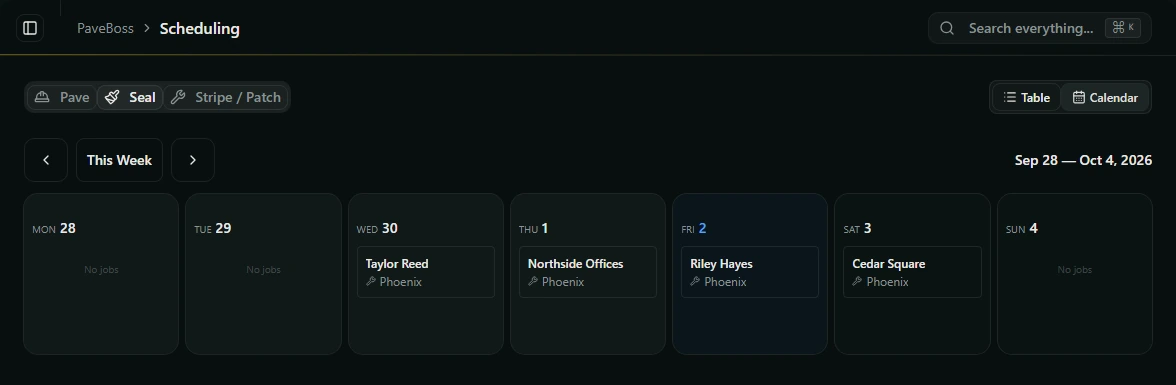
Sealcoating schedule in calendar view, with residential and commercial jobs arranged across the week.View full size
See the week’s jobs and open a stop to schedule or reassign it.Actual PaveBoss screen · Sample data

03

Keep the job history

Keep customer details and every job in one place, from the first call through repeat work.

Explore this feature
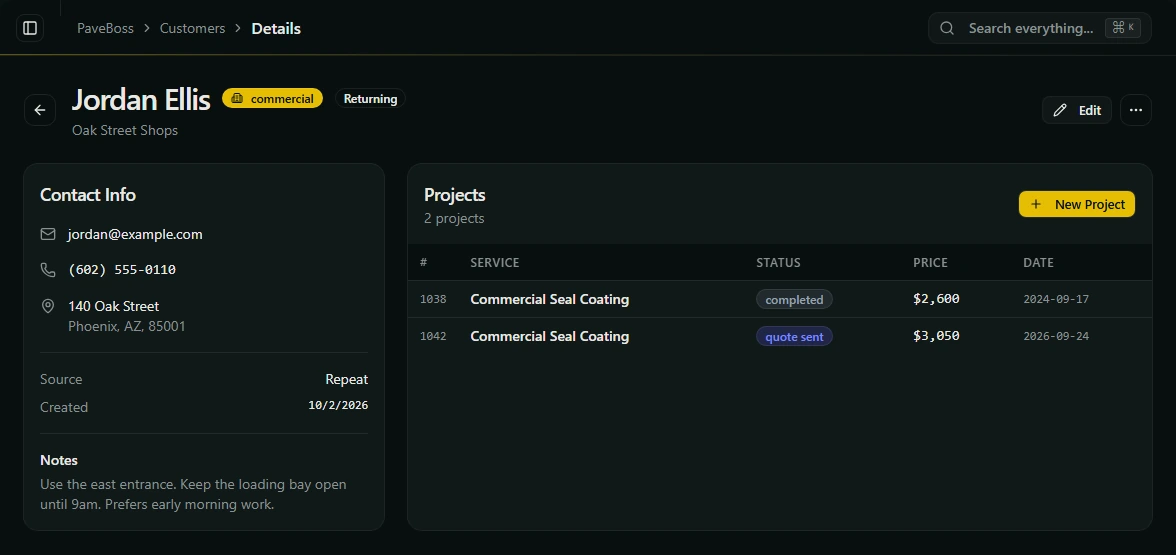
Returning customer Jordan Ellis’s record with contact details, access notes, a completed job and a new quote for Oak Street Shops.View full size
Contact details, access notes and past jobs stay in one customer record.Actual PaveBoss screen · Sample data

04

Stay in touch after the job

Plan a maintenance check at the interval you choose. Record a new lead when the customer shows interest.

Explore this feature
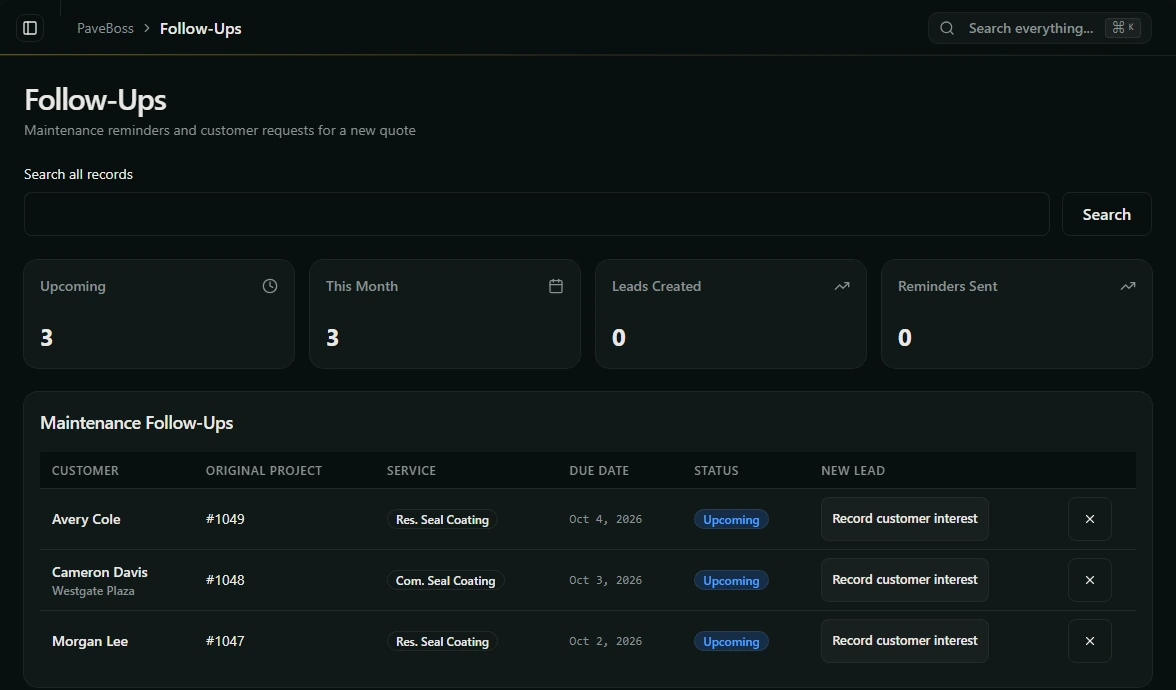
Maintenance follow-up queue showing original jobs, due dates, upcoming reminders and actions to record customer interest.View full size
See which maintenance checks are coming up and record a customer’s interest.Actual PaveBoss screen · Sample data

05

Invoice the work

Create deposit and final invoices, email the customer, and track what has actually been paid.

Explore this feature
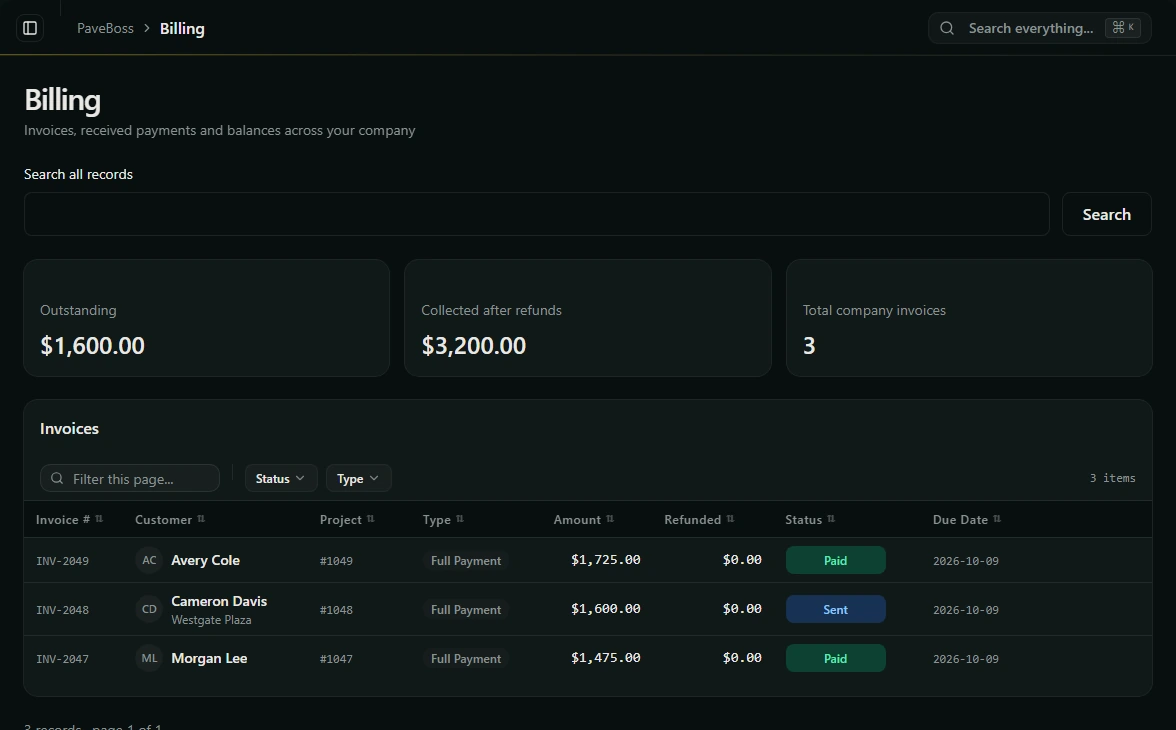
Billing screen with outstanding and collected balances, two invoices paid by check and one sent invoice awaiting payment.View full size
Track sent invoices and payments received, including cash and checks.Actual PaveBoss screen · Sample data

06

Keep permit notes with the job

Record your local permit contacts and the status of jobs that need approval.

Explore this feature
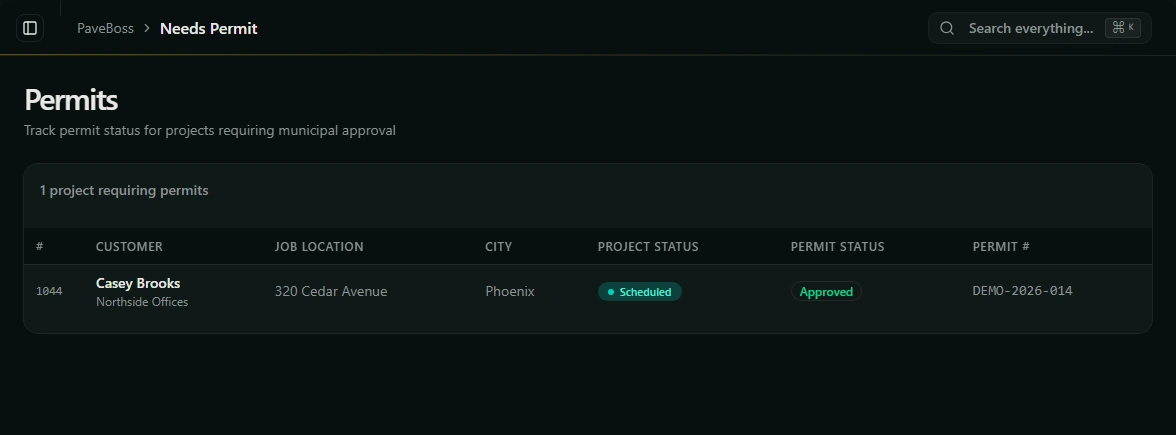
Permit tracking screen with the customer, job address, scheduled status, approved permit status and a sample permit number.View full size
Keep the permit number and approval status visible with the job.Actual PaveBoss screen · Sample data